
Golf Orbit: Oneshot Golf Games
TapNationSports
3.44.84K Reviews
- Version
- 1.42
- Installs
- 5.00M
- Age Rating
- Everyone
Screenshots
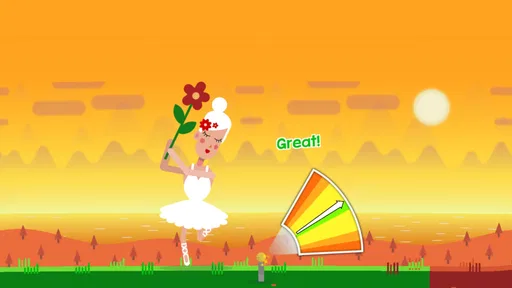
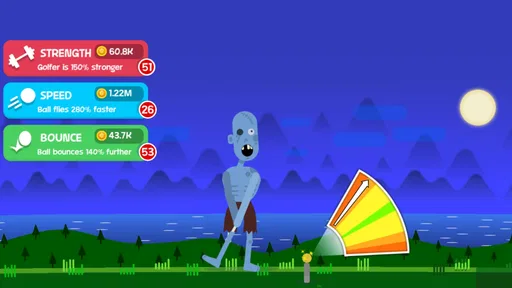
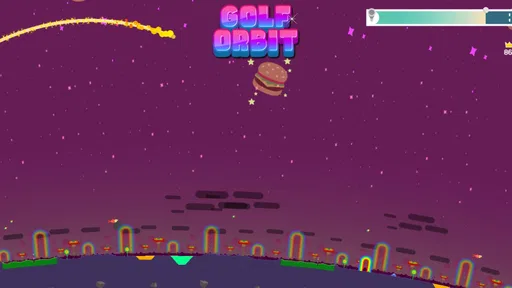
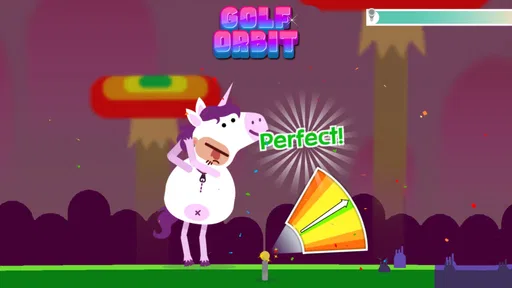
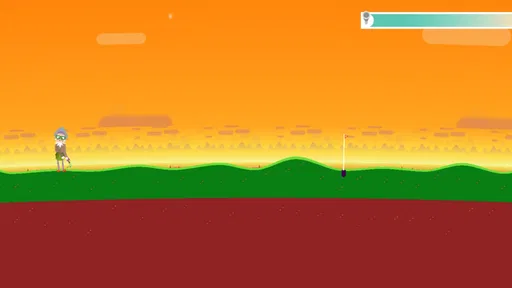

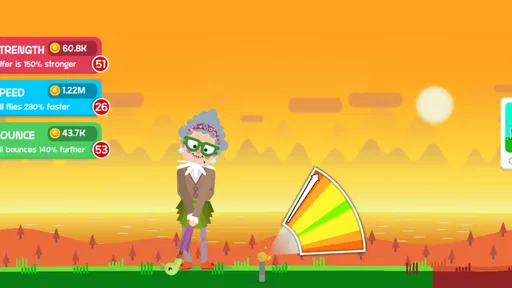
Our Review of Golf Orbit: Oneshot Golf Games
 Analysis by Appyee
I approached Golf Orbit: Oneshot Golf Games as a quick sports game rather than a serious golf simulator, and that distinction matters from the first few minutes. Its central idea is wonderfully easy to understand: line up a shot, release it, and see how far your ball can travel through an unusual golf setting. The Mars theme gives the familiar sport a playful twist, while the one-shot format makes it suitable for short sessions.
That simplicity is also where much of its appeal comes from. I can open it when I have only a few minutes, understand the immediate objective without reading a long tutorial, and stop without feeling that I have abandoned a complicated match. At the same time, the game is not equally comfortable for everybody. Its quick timing, visual motion, and repeated attempts may suit players who enjoy arcade challenges, but they can frustrate anyone looking for calm, predictable golf.
How the game reads and guides you through a shot
The interface is built around the action rather than around menus and statistics. In my experience, the most important information is presented close to the play area, so I can concentrate on the ball, the direction of the shot, and the next result instead of constantly searching through screens. That makes the first session approachable, especially for someone who does not usually play mobile sports games.
The game’s name tells you what to expect: Golf Orbit focuses on a single-shot rhythm. I found that useful because it reduces the mental load of a traditional golf game. There is no need to remember a full course strategy before beginning. I can make one decision, watch the outcome, and immediately consider what I would change next time.
Still, easy to understand does not always mean easy to read. Arcade golf depends on movement and timing, and the important moment can pass quickly. Players with slower visual processing may need several attempts before the action feels legible. I recommend starting with the sound at a comfortable level and playing in a quiet place, because distractions make the brief aiming window harder to follow.
The game is free to download, which makes trying it low-risk. It is rated for Everyone, so it can be considered by families and younger players, although an adult may still want to check how a child responds to the repeated retry structure and optional purchases. TapNation is the developer behind it, and the title has reached over five million installs, suggesting that its short-session format has found a broad audience.
On the Android side, it supports devices running version 7.0 or later. That is helpful for people using older compatible phones, although the experience can still vary with screen size, performance, and touch response. A larger display gives the aiming area more breathing room, while a smaller phone can make the same visual movement feel more compressed.
Why the one-shot format helps some players
One of the less obvious strengths is that a failed attempt does not require a long commitment. I can experiment with timing, notice the result, and try again without replaying an entire conventional hole. This makes the game practical for a commute, a waiting room, or a short break between tasks, provided the surroundings are not too distracting.
It also creates a useful learning loop for players who prefer immediate feedback. Instead of studying a large course, I focus on one action at a time. That can be less intimidating for a newcomer to mobile golf and more manageable for someone who becomes overwhelmed by several simultaneous controls.
The trade-off is that the same repetition may feel narrow to players who want club selection, detailed course management, or a realistic sense of playing eighteen holes. Compared with a traditional golf simulator, this is much closer to an arcade reflex game. Compared with a casual puzzle game, it asks for more timing and tolerance for imperfect attempts.
Motor, visual, and sensory considerations during play
The main physical demand is touch control. A player needs to make a deliberate gesture or tap at the right moment, and small differences in timing can change the result. I found that the game is more comfortable when I hold the phone securely and keep one finger ready rather than trying to play while walking or carrying something else.
This matters for people with tremors, limited fine-motor control, or difficulty maintaining a steady touch. The one-action design is less demanding than a game with several on-screen buttons, but it is not automatically accessible to every player. A person who needs generous timing windows or alternative input methods may find the core mechanic restrictive.
There is also a difference between physical simplicity and motor forgiveness. Golf Orbit appears straightforward because it centers on a shot, yet the shot itself remains the whole challenge. If accuracy depends on a narrow moment, reducing the number of controls does not remove the need for precision. I would describe it as low in control complexity but potentially moderate in timing pressure.
Visually, the Mars setting gives the game a distinctive identity. The unusual environment helps separate it from ordinary green-course golf, and the ball’s journey is easy to understand as a visual reward. However, players sensitive to rapid movement, repeated trajectories, or busy backgrounds may prefer shorter sessions. I would avoid playing for a long stretch if motion-heavy games usually cause discomfort.
Sound can affect how approachable the experience feels. Playing with audio can make the result more noticeable, but people who are sensitive to sudden effects or who need a quiet environment may prefer muted play. Conversely, a player with reduced vision may find that visual information alone is not always enough for comfortable timing, so the game may be less suitable if it does not provide the kind of feedback that person needs.
A practical setup for more comfortable sessions
My most useful adjustment was to treat each attempt as a short exercise rather than a test of endurance. I place the phone on a stable surface when possible, use a brightness level that separates the ball from the background, and avoid playing under strong reflections. These are simple changes, but they reduce the amount of extra work the eyes and hands have to do.
For a child, an older adult, or anyone new to touch games, I would first demonstrate the basic shot without focusing on distance or progress. Letting the player watch one or two attempts can make the timing clearer than explaining it verbally. If the player becomes frustrated, stopping after a few tries is sensible; the game’s quick format makes it easy to return later.
Players who use a stylus or a particular grip may also find their own comfortable method, but I would not assume that every external accessory will improve accuracy. The important point is consistency. A stable posture and the same hand position from one attempt to the next make it easier to understand whether a change in timing actually helped.
Where it works well in everyday situations
Golf Orbit fits naturally into small gaps in the day. I can imagine using it while waiting for an appointment, taking a short break from work, or relaxing after dinner without needing to prepare a long session. The game’s sports category is therefore a little misleading if you expect a full match; its real strength is the compact arcade loop.
A realistic example would be a commuter sitting on a train with ten minutes to spare. In that setting, the player can make a few attempts, pause when the train becomes busy, and return attention to the surroundings. The game is better suited to that kind of stop-and-start use than to a situation where the player must maintain concentration for a long uninterrupted period.
It is less suitable when the phone is being used one-handed while moving, when the screen is exposed to glare, or when notifications repeatedly interrupt the action. Timing-based play needs a little concentration, even if each attempt is short. I would not recommend it as a background activity during a conversation or while supervising a task that requires constant attention.
The Everyone age rating makes it approachable as a shared casual game, but the best audience is not simply “everyone who likes golf.” It is people who enjoy experimenting with shots, watching exaggerated results, and trying again after a near miss. Someone who dislikes repetition or who wants a quiet, strategic experience may be happier with a turn-based golf game.
It can also work as a low-pressure introduction to sports games. A new player does not need to learn a roster, memorize rules, or manage a complicated control scheme. I would use it to help someone discover whether they enjoy timing-based sports play before recommending a more detailed golf title.
Free access and the question of spending
The free entry point is a clear advantage for casual players. I can test the basic feel before deciding whether it deserves space on my phone. Optional in-app purchases range from $0.99 to $114.99 per item, so families should be aware that the possible spending range is much wider than the initial download price suggests.
My advice is to treat purchases as a separate decision from enjoying the core idea. If a player is satisfied with short sessions and gradual experimentation, there is no reason to assume that spending is necessary for the game to be worthwhile. If a child is using the device, purchase controls should be arranged before handing it over, particularly because the game’s quick retry cycle can encourage impulsive decisions after an unsuccessful attempt.
This is also where Golf Orbit differs from a paid premium sports game. A premium alternative may offer a more settled experience with fewer purchase prompts, while this free model is easier to try but requires more attention to optional spending. Neither approach is automatically better; it depends on whether convenience of entry or control over the overall purchase environment matters more to you.
Barriers that can affect inclusion
The largest barrier is the core timing mechanic. A player may understand exactly what to do but still be unable to perform it comfortably because the required touch is too quick or precise. That is an important distinction when judging accessibility: clear instructions help cognitive access, but they do not solve every motor limitation.
Visual speed is another consideration. The ball’s movement and the changing result are part of the fun, yet they can make the game tiring for players who need slower transitions or stronger visual separation. I would be cautious about recommending it to someone who is particularly sensitive to motion until they have tried a brief session on their own device.
Screen size and device condition can create practical differences as well. A cracked display, inconsistent touch response, or heavy glare may turn a manageable shot into an apparently random one. Before blaming personal timing, I would test the game in a stable position and check whether the touch response feels consistent across the screen.
The game also asks players to tolerate failure. Repeated attempts are central to its design, and that can be motivating for one person but stressful for another. Players who need predictable progress, slower pacing, or a strong sense of completion may prefer a conventional golf game with clearer rounds and less emphasis on immediate retrying.
Its average rating is 3.4 from around forty-three thousand ratings, with roughly forty-eight hundred written reviews. I read that overall reception as mixed rather than as a warning to avoid it entirely. The concept is easy to grasp and memorable, but the arcade loop will naturally divide people: some will enjoy chasing a better shot, while others will quickly find the repetition limiting.
The current version is 1.42, and the game has been available since September 14, 2018. Those details place it as an established mobile title rather than a brand-new experiment. For me, that makes it easier to understand its identity: this is a compact, stylized golf diversion, not a modern simulation trying to reproduce every part of the sport.
Who should choose something else
I would skip Golf Orbit if your priority is realistic golf technique, detailed club selection, multiplayer competition, or a full course structure. A simulator-style alternative will offer more control over each shot and more meaningful decisions across a round. That extra depth is worthwhile for players who see golf as a strategy game rather than a timing challenge.
I would also choose another option if you need extensive accessibility controls, slower input timing, or a clearly configurable sensory experience. The simple interface is helpful, but simplicity should not be confused with broad support for every ability. In this case, trying the game briefly on the intended device is more informative than relying on the age rating alone.
On the other hand, I would recommend giving it a chance if you want a sports game that can be understood quickly, fits into short breaks, and has a setting more imaginative than a standard course. It is especially appealing to players who enjoy seeing one small decision produce a dramatic result.
My inclusive verdict after using it
Golf Orbit succeeds because it keeps the invitation simple: take a shot, see what happens, and decide whether you can improve it. The Mars-inspired presentation gives the game personality, while the compact structure makes it easy to fit around everyday life. I appreciate that I do not need to commit to a long round before knowing whether I am in the mood to play.
Its inclusive qualities are strongest in its readable goal and limited control complexity. A newcomer can understand the basic interaction quickly, and short attempts make it easier to stop before fatigue builds. Those strengths may help children, casual players, and people who prefer small, self-contained tasks.
Its limits are equally important. Timing pressure, visual movement, repeated failure, and the broad range of optional purchase prices can affect whether the experience feels comfortable and appropriate. The game does not replace a simulator, a slower strategy title, or an accessibility-focused alternative. It is best viewed on its own terms.
With a 3.4 average and more than five million installs, it has clearly attracted substantial attention without being a universal favorite. My own recommendation is conditional but positive: try it if you want a free arcade sports game for brief sessions and enjoy improving through repetition. Skip it if you need realistic golf, extensive control options, or a calmer pace. Its best feature is not depth but immediacy, and once you know that, it becomes much easier to decide whether it belongs on your phone.
Verdict
Strengths of Golf Orbit: Oneshot Golf Games
- Simple one-shot controls are easy for beginners to learn.
- Short rounds make it convenient for quick gaming sessions.
- Colorful visuals give the courses a cheerful, casual feel.
- Unlockable content provides goals beyond completing individual holes.
- Offline play is useful when you have limited or no internet access.
Limitations of Golf Orbit: Oneshot Golf Games
- Ads may interrupt play or appear frequently between attempts.
- Progress can feel repetitive once the basic swing is mastered.
- Precision is sometimes affected by physics that feel inconsistent.
- Some upgrades or rewards may encourage in-app purchases.
- Limited multiplayer depth may disappoint competitive golf fans.
Other Releases by TapNation
View All
Thief Puzzle: to pass a level
Puzzle4.6

Guess Their Answer - IQ Games
Trivia4.4

Parking Jam: Car Parking Games
Strategy4.4

Hoop World: Flip Dunk Game 3D
Sports4.7
Similar Picks in This Category
View All
8 Ball Pool
Miniclip.com4.8

Pooking - Billiards City
AIM TOP GAME TECHNOLOGY LIMITED - pool4.6

Carrom Pool: Disc Game
Miniclip.com4.4

EA SPORTS FC Soccer Mobile 26
ELECTRONIC ARTS4.6

World Soccer League
mobirix4.3

Soccer Cup 2026: Football Game
INLOGIC SPORTS - football tennis golf soccer4.3
Frequently Asked Questions
What is Golf Orbit: Oneshot Golf Games?
Golf Orbit: Oneshot Golf Games is a casual arcade golf title built around one powerful swing rather than traditional hole-by-hole play. You launch the ball, control its trajectory, and try to send it as far as possible while collecting rewards and improving your performance. Its simple controls make it easy to start, but timing, upgrades, and aiming become increasingly important as the courses and challenges get more demanding.
How do you play Golf Orbit: Oneshot Golf Games?
Gameplay is based on timing your shot and guiding the ball through a series of obstacles, bounces, and distance targets. The main objective is usually to achieve the longest or most successful flight, while collecting coins and other rewards along the way. After each attempt, you can use your earnings to improve attributes such as power, bounce, or offline income, helping you reach farther areas.
Is Golf Orbit: Oneshot Golf Games free to download and play?
Golf Orbit: Oneshot Golf Games is generally available as a free-to-download game, allowing players to begin without paying an upfront purchase price. However, free gameplay may include advertisements and optional in-app purchases. These purchases can speed up upgrades or provide additional resources, but they are not necessarily required to enjoy the core mechanics if you are comfortable progressing at a slower pace.
Does Golf Orbit: Oneshot Golf Games require an internet connection?
The basic arcade experience may work without a constant internet connection, which is convenient for short sessions while traveling or when mobile data is unavailable. Nevertheless, some features can depend on connectivity, including advertisements, cloud-related services, events, updates, and in-app purchase verification. For the most reliable experience, it is recommended to launch the game online occasionally and keep it updated.
Is Golf Orbit: Oneshot Golf Games suitable for children and casual players?
The game is designed to be approachable, with straightforward controls and short attempts that suit casual players who want quick entertainment. Younger users can usually understand the basic objective quickly, although parents should review the store age rating and advertising or purchase settings before allowing unsupervised play. As with many free mobile games, optional purchases and repeated ad exposure are worth considering.
Play our best games!


